
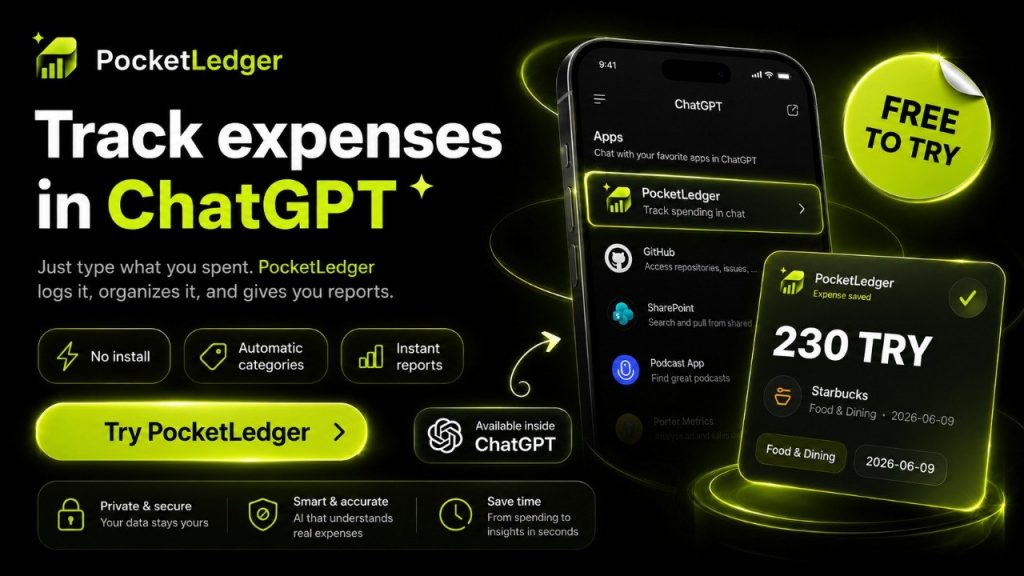
PocketLedger is an AI-powered expense tracker built for people who want to track spending without opening spreadsheets, complicated finance dashboards, or traditional budgeting apps. Instead of filling out forms, you can record personal expenses directly in ChatGPT using natural language.
With PocketLedger, a simple message like “I spent $12 on coffee today” can become a saved transaction. You can also search your saved expenses, detect possible duplicates, and generate grouped spending reports by category, merchant, date, or currency.
If you already use ChatGPT every day, PocketLedger gives you a faster and more natural way to understand where your money goes.
You can try PocketLedger inside ChatGPT here:
You can also visit the official PocketLedger website here:
What Is PocketLedger?
PocketLedger is a ChatGPT finance app that helps users record, organize, search, and review personal expenses through conversation.
Most expense trackers ask you to open an app, choose a category, enter an amount, select a date, and save the transaction manually. PocketLedger takes a more natural approach. You simply describe what you spent, and the app helps turn that sentence into structured financial data.
For example, you can type:
“I spent $45 at Trader Joe’s on groceries yesterday.”
PocketLedger can understand the key details of that sentence, such as the amount, merchant, category, and date. The goal is to make expense tracking feel less like data entry and more like a normal conversation.
This makes PocketLedger especially useful for people who want a simple AI expense tracker, a ChatGPT finance app, or a personal finance tool that works directly inside chat.
Why Track Spending in Chat?
The hardest part of personal finance is not always budgeting. Sometimes the hardest part is simply remembering to record what you spent.
Traditional finance apps often fail because they add friction. You need to open the app, navigate to the right screen, type the amount, select the category, and repeat that process every day. Many people start tracking expenses, then stop after a few days because the process feels boring or repetitive.
PocketLedger is designed around a different idea:
If you can describe your spending in a normal sentence, you should be able to save it.
That is why tracking spending in chat can feel easier. Chat is already a familiar behavior. You do not need to learn a complex interface. You just tell ChatGPT what happened, and PocketLedger helps save the financial record.
This chat-first workflow is useful for daily spending, small purchases, travel expenses, subscriptions, business meals, groceries, transportation, and any other personal transaction you want to remember later.
How PocketLedger Works
PocketLedger works by connecting expense tracking tools to ChatGPT. Once connected, you can use natural language to create, search, and summarize your transactions.
The workflow is simple:
- You type an expense in ChatGPT.
- PocketLedger reads the natural-language message.
- The app extracts useful details like amount, category, merchant, date, and currency.
- The transaction is saved to your PocketLedger account.
- Later, you can search or ask for spending summaries directly in chat.
This creates a personal finance workflow that feels much lighter than traditional expense-tracking apps.
Instead of thinking, “I need to update my budget app,” you can simply type:
“Log 120 TRY for lunch today.”
Or:
“Add $25 for Uber last night.”
Or:
“Show me how much I spent on food this month.”
PocketLedger turns these everyday messages into useful financial actions.
Key Features of PocketLedger
Natural Language Expense Tracking
PocketLedger’s main feature is natural language expense tracking. You do not need to follow a strict format or fill out a form every time.
You can write expenses the way you naturally think about them:
“Spent $8 on coffee this morning.”
“Log 300 TRY for groceries at Migros.”
“Add €42 for dinner yesterday.”
“Record $19.99 for my subscription today.”
PocketLedger is designed to understand the important parts of your sentence and help save the transaction in a structured way.
This is one of the biggest advantages of using an AI expense tracker inside ChatGPT. You can record spending at the moment you remember it, without switching apps or breaking your workflow.
Search Saved Transactions
PocketLedger is not only for recording expenses. It also helps you search your saved transactions later.
You can ask questions like:
“Show my coffee expenses this month.”
“Find my last grocery transaction.”
“How much did I spend at Starbucks?”
“Show transactions over $50.”
“Find my transportation expenses from last week.”
This makes PocketLedger useful as a searchable personal finance memory. Instead of scrolling through a long bank statement or spreadsheet, you can ask for the exact information you need in plain English.
For people who already use ChatGPT for work, planning, writing, or research, this makes expense tracking feel more connected to their daily routine.
Spending Summaries and Grouped Reports
PocketLedger can also help generate spending summaries and grouped reports.
You can ask for reports such as:
“How much did I spend this month?”
“Group my expenses by category.”
“Show my spending by merchant.”
“Summarize my food expenses for the last 30 days.”
“Give me a weekly spending report.”
These reports help you understand your habits without manually building charts or filtering rows in a spreadsheet.
A grouped spending report can show where your money is going across categories like food, transportation, shopping, entertainment, subscriptions, and other personal expenses.
This is valuable because tracking expenses is only the first step. The real benefit comes from understanding patterns.
PocketLedger helps turn small daily spending notes into a clearer picture of your personal finances.
Duplicate Detection
Duplicate expenses are a common problem in manual tracking. You may forget that you already logged a purchase and accidentally save it again.
PocketLedger helps by detecting possible duplicate transactions. This makes the system safer and more reliable for daily use.
For example, if you try to log the same coffee purchase twice, PocketLedger can help identify that it may already exist. This reduces messy records and makes your reports more accurate.
Duplicate detection is especially important for a chat-based finance app because users may naturally repeat themselves or rephrase the same expense.
PocketLedger is built to make that workflow more forgiving.
Multi-Currency Expense Tracking
PocketLedger can support expenses in different currencies, which is helpful for travelers, freelancers, remote workers, and people living internationally.
You may want to record expenses in USD, EUR, TRY, GBP, or another currency depending on where you are and what you bought.
For example:
“Log 200 TRY for groceries today.”
“Add €15 for coffee in Berlin.”
“Record $60 for software subscription.”
PocketLedger can keep transaction details clear, including the original currency. This helps users who do not always spend in one currency.
For people who travel or live between countries, multi-currency tracking makes PocketLedger more practical than a simple one-currency expense notebook.
Undo and Safer Write Actions
Because PocketLedger can write and save transactions, safety matters.
A good finance app should not only save data quickly. It should also help users correct mistakes.
PocketLedger supports workflows such as reviewing, updating, deleting, restoring, and undoing actions depending on the available tools and permissions. This gives users more control over their personal ledger.
If you record something incorrectly, the goal is to make correction possible without stress.
That is important for trust. Users need to feel that AI-powered finance tools are helpful, but still under their control.
Why PocketLedger Is Different from Traditional Expense Trackers
Most expense trackers are built around screens, forms, buttons, tabs, and dashboards.
PocketLedger is built around conversation.
That difference matters.
A traditional app asks you to adapt to its interface. PocketLedger adapts to how you naturally describe spending.
Instead of opening a finance dashboard, you can stay in ChatGPT and say what you need:
“Add lunch for today.”
“Find my last shopping expense.”
“Summarize my spending this week.”
“Group my expenses by category.”
This makes PocketLedger feel less like accounting software and more like a personal finance assistant.
The product is especially useful for users who want quick expense logging, simple reports, and a chat-first workflow.
PocketLedger as a ChatGPT Finance App
ChatGPT is becoming a place where people write, plan, research, organize, and manage tasks. PocketLedger brings personal expense tracking into that same environment.
That means you can use ChatGPT not only to think about your money, but also to record and review your actual spending.
This is what makes PocketLedger a true ChatGPT finance app.
You can ask ChatGPT to help you understand your expenses, and PocketLedger provides the saved transaction data needed to make those answers useful.
For example, instead of asking a general budgeting question like:
“How can I save money?”
You can ask a more useful question based on your own data:
“How much did I spend on restaurants this month?”
Or:
“What are my biggest spending categories?”
Or:
“Show me a simple report of my expenses from the last 7 days.”
This turns ChatGPT from a general advice tool into a more personal finance assistant.
Who Should Use PocketLedger?
PocketLedger is a good fit for people who want a simple way to track spending without dealing with complicated finance software.
It is especially useful for:
People who already use ChatGPT regularly.
People who forget to update traditional budget apps.
People who prefer writing simple messages instead of filling forms.
People who want searchable transaction history.
People who want grouped spending reports.
People who track expenses in more than one currency.
People who want a lightweight personal finance AI tool.
PocketLedger is not trying to replace every banking app, investment platform, or full accounting system. Its strength is focused and practical: helping you record expenses and understand spending through chat.
Example Ways to Use PocketLedger
Here are some examples of how someone might use PocketLedger in daily life.
Daily Expense Logging
You can quickly record everyday purchases:
“Log $6 for coffee today.”
“Add 250 TRY for groceries.”
“Record €18 for lunch yesterday.”
This is useful because small expenses are easy to forget. PocketLedger makes it easier to save them before they disappear from memory.
Weekly Spending Review
At the end of the week, you can ask:
“How much did I spend this week?”
“Group my expenses by category for the last 7 days.”
“Show my biggest purchases this week.”
This helps you understand your spending habits without building a manual report.
Category Analysis
You can ask:
“How much did I spend on food this month?”
“Show my transportation expenses.”
“Compare groceries and restaurants.”
This gives you a clearer view of where your money is going.
Merchant Search
You can ask:
“How much did I spend at Starbucks?”
“Find my last Amazon transaction.”
“Show all Uber expenses.”
This is useful when you need to find a specific transaction quickly.
Travel Spending
If you travel or use multiple currencies, you can record expenses like:
“Log €30 for taxi in Paris.”
“Add 500 TRY for dinner in Antalya.”
“Record $20 for airport coffee.”
PocketLedger can help keep these expenses organized in your personal ledger.
Benefits of Using an AI Expense Tracker
An AI expense tracker can reduce the friction of personal finance.
Instead of forcing users to think in fields and forms, it lets them think in natural language.
The main benefits include:
Faster expense logging.
Less manual data entry.
Easier transaction search.
Clearer spending summaries.
More natural financial questions.
Better habit awareness.
A more flexible workflow inside chat.
PocketLedger uses these benefits in a focused way. It is not just an AI chatbot that gives general money tips. It is designed to work with real saved transactions, making the conversation more useful over time.
PocketLedger and Personal Finance Awareness
Many people do not need a complex financial system. They simply need to know where their money is going.
PocketLedger helps with that by making spending easier to capture and easier to review.
When you record expenses regularly, you start to notice patterns:
How often you buy coffee.
How much you spend on restaurants.
Which subscriptions keep charging you.
How transportation costs add up.
Which categories grow quietly over time.
These insights can help you make better decisions without feeling overwhelmed.
PocketLedger is useful because it makes the first step simple: just write the expense in chat.
Privacy and Control
Personal finance data is sensitive, so users should care about privacy, permissions, and control.
PocketLedger is designed around user-approved access and clear finance workflows. Users connect the app and allow the actions they want to use.
Because the app works through ChatGPT and PocketLedger’s connected tools, it is important to only save information you actually want to track.
PocketLedger is software for personal expense tracking. It is not a bank, financial advisor, tax advisor, or investment advisor. The app helps organize spending information, but financial decisions remain the user’s responsibility.
Before using any finance app, users should review the privacy policy, terms of service, and support information.
You can visit the official PocketLedger website here:
https://pocketledger.baronsa.dev/
PocketLedger vs Spreadsheets
Spreadsheets are powerful, but they are not always convenient.
A spreadsheet requires structure. You need columns, formulas, categories, and consistent formatting. This can work well for advanced users, but many people stop using spreadsheets because they feel like work.
PocketLedger gives users a lighter option.
Instead of opening a spreadsheet, you can type a sentence.
Instead of filtering rows manually, you can ask a question.
Instead of building a report, you can request a summary.
For users who want flexibility without spreadsheet maintenance, PocketLedger can be a better fit.
Spreadsheets are still useful for advanced analysis, but PocketLedger is better for quick daily capture and chat-based review.
PocketLedger vs Traditional Budgeting Apps
Traditional budgeting apps often focus on dashboards, bank connections, budgets, charts, and automatic categorization.
PocketLedger focuses on conversational expense tracking.
That means it may be especially attractive to users who do not want to connect bank accounts or manage a complex budgeting system. Instead, they can manually log the expenses they care about and ask for reports when needed.
The experience is simple:
Tell ChatGPT what you spent.
Let PocketLedger save it.
Ask questions later.
This makes PocketLedger more focused than many general finance apps.
For users who want a lightweight ChatGPT expense tracker, that focus is a strength.
Best Use Cases for PocketLedger
PocketLedger can be used in many everyday situations.
Personal Budgeting
Use PocketLedger to record daily expenses and review spending at the end of the week or month.
Freelance Expense Tracking
Freelancers can record software subscriptions, travel, meals, and work-related purchases.
Travel Expense Logs
Travelers can save expenses in different currencies and later review total trip spending.
Student Spending
Students can track food, transportation, books, subscriptions, and entertainment.
Small Daily Purchases
PocketLedger is useful for small purchases that are easy to forget, such as coffee, snacks, parking, or public transport.
Subscription Awareness
You can record recurring payments and later search for subscription-related expenses.
How to Start Using PocketLedger
Getting started with PocketLedger is simple.
First, open the PocketLedger ChatGPT app:
https://chatgpt.com/apps/pocketledger/asdk_app_6a16b3665ba481919032ba787b5f3644
Then connect your PocketLedger account and start with a basic expense message.
Try something simple:
“Log $5 for coffee today.”
After that, you can ask for a summary:
“Show my spending this week.”
Or search your saved transactions:
“Find my coffee expenses.”
You can also visit the official website:
https://pocketledger.baronsa.dev/
Frequently Asked Questions About PocketLedger
What is PocketLedger?
PocketLedger is an AI-powered expense tracker that works with ChatGPT. It helps users log expenses in natural language, search saved transactions, detect possible duplicates, and generate spending summaries or grouped reports.
Is PocketLedger a ChatGPT app?
Yes. PocketLedger is designed to work inside ChatGPT, allowing users to track spending directly through chat.
Can I record expenses with natural language?
Yes. You can describe an expense in a normal sentence, such as “I spent $12 on lunch today,” and PocketLedger can help save it as a structured transaction.
Can PocketLedger generate spending reports?
Yes. PocketLedger can help generate spending summaries and grouped reports, such as expenses by category, merchant, date, or currency.
Does PocketLedger detect duplicate expenses?
PocketLedger is designed to detect possible duplicate transactions, helping users avoid saving the same expense more than once.
Who is PocketLedger for?
PocketLedger is for people who want a simple, chat-first way to track personal spending. It is useful for ChatGPT users, freelancers, students, travelers, and anyone who wants easier expense tracking.
Is PocketLedger financial advice?
No. PocketLedger is a personal finance tracking tool. It helps organize expense data, but it does not provide financial, tax, legal, or investment advice.
Where can I try PocketLedger?
You can try PocketLedger in ChatGPT here:
https://chatgpt.com/apps/pocketledger/asdk_app_6a16b3665ba481919032ba787b5f3644
You can also visit the official website here:
https://pocketledger.baronsa.dev/
Final Thoughts
PocketLedger makes expense tracking feel simple, fast, and natural. Instead of opening a finance app or editing a spreadsheet, you can track spending directly inside ChatGPT by typing normal sentences.
For users who want an AI expense tracker, a ChatGPT finance app, or a simple way to track spending in chat, PocketLedger offers a focused and practical solution.
Its biggest advantage is convenience. You can log an expense when you remember it, search your saved transactions later, and generate grouped spending reports without leaving the conversation.
If you want a personal finance AI tool that fits naturally into your ChatGPT workflow, PocketLedger is worth trying.
Start here:
Or visit:
