
Introduction
Most expense trackers fail because they ask users to behave like accountants.
They expect people to open an app, fill out a form, select a category, choose a date, enter a merchant, and repeat that process every day.
That might work for a small group of highly organized users. But for many people, especially people who already hate budgeting apps, the habit breaks quickly.
PocketLedger was built for a different kind of user.
It is a ChatGPT expense tracker that lets people record spending by chatting. Instead of filling out manual forms, users can type natural language messages like:
“$8 on coffee”
“$27 on groceries”
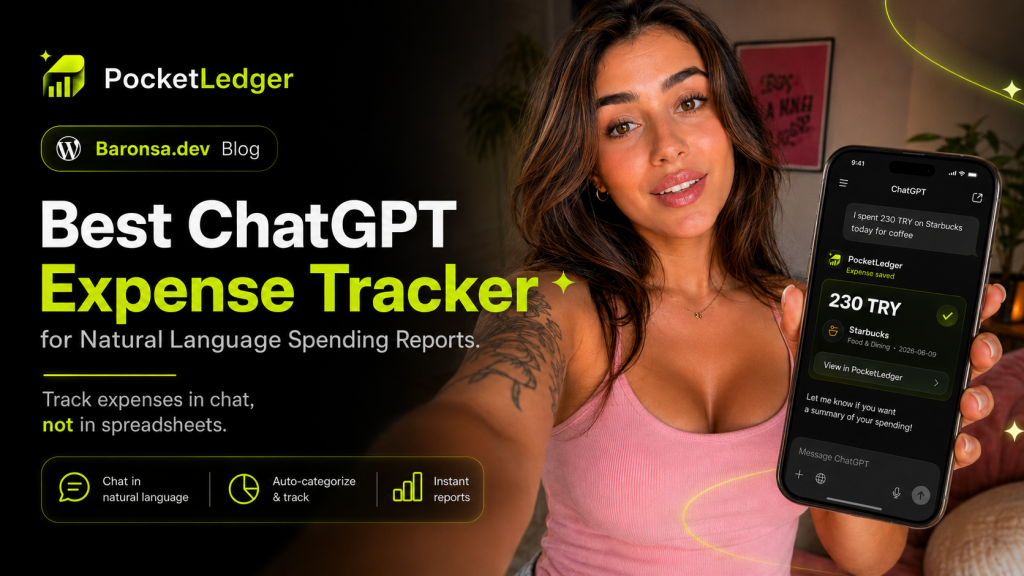
“230 TRY at Starbucks today”
“Paid $12.40 for Uber”
“Lunch was $18.75”
PocketLedger helps turn those messages into organized expense records. Later, users can search transactions, review spending history, detect possible duplicates, and generate summaries or grouped reports directly inside ChatGPT.
The core idea is simple:
Expense tracking should feel like texting, not homework.
What is PocketLedger?
PocketLedger is a financial assistant inside ChatGPT designed for personal expense tracking.
It helps users record expenses from natural language, organize transactions, search saved spending history, and generate reports.
Instead of requiring a traditional dashboard-first experience, PocketLedger works through chat.
A user can write a simple sentence, and PocketLedger can help identify the important details:
Amount
Currency
Merchant or description
Category
Date context
Transaction type
For example:
“I spent $8 on coffee today.”
This can become a clean transaction record for a coffee expense.
Later, the user can ask:
“How much did I spend on coffee this month?”
PocketLedger can use the saved transaction history to return a useful summary.
This makes it a practical tool for people who want simple personal finance tracking without the friction of traditional budgeting apps.
Why expense tracking is still hard
Expense tracking sounds easy in theory.
You spend money. You record it. You review your spending later.
But in practice, the habit is difficult.
The problem is not usually the math. The problem is the workflow.
A traditional expense tracker often asks users to do too much:
Open a separate app
Tap a plus button
Enter the amount
Choose the currency
Choose a category
Select the date
Add a note
Save the record
Repeat every time
This creates friction.
The user might record expenses for a few days, but then one missed day becomes three missed days. Soon the data is incomplete, the reports are wrong, and the app stops being useful.
PocketLedger reduces that friction by letting users track expenses in the same place they already ask questions: ChatGPT.
How to track expenses by chatting
Tracking expenses with PocketLedger is designed to be simple.
A user can type what they spent in normal language.
Examples:
“Coffee $4.50”
“Groceries $68.20”
“Paid rent $1,250”
“Taxi to office $24.60”
“Lunch was $18.75”
“Spotify subscription $10.99”
The experience is closer to sending a message than filling out a finance form.
PocketLedger can help save the expense, organize it into a category, and make it available for search and reports later.
This is the main difference between a chat-first expense tracker and a traditional budgeting app.
The user does not need to start by thinking about fields and forms.
They can start by writing what happened.
Natural language expense tracker
A natural language expense tracker lets people record spending using everyday sentences.
This matters because most people do not think in database fields.
They do not naturally think:
Amount: 8
Currency: USD
Category: Food & Dining
Merchant: Starbucks
Date: Today
They think:
“I spent $8 on coffee.”
PocketLedger is built around that natural behavior.
This makes the product easier to use for casual personal finance tracking. It is especially useful for small daily purchases, because those are the expenses people forget most often.
Coffee, lunch, snacks, rides, groceries, subscriptions, small shopping purchases — these can add up quickly.
If recording them takes too long, people stop.
If recording them feels like sending a quick message, the habit becomes easier.
What can you ask PocketLedger?
Once expenses are saved, the value is not only in the transaction list.
The value is in what you can ask later.
For example:
“How much did I spend on coffee this month?”
“Show my grocery expenses.”
“What did I spend on food this week?”
“Find my Starbucks transactions.”
“Group my expenses by category.”
“Give me a monthly spending summary.”
“What are my largest expenses this month?”
“Show my transport expenses.”
“Did I already record this transaction?”
These questions turn saved spending data into useful financial insight.
Instead of manually filtering a spreadsheet, the user can ask for the answer in chat.
Duplicate detection
Duplicate transactions are a common problem in expense tracking.
A user might record an expense manually, then accidentally record the same expense again later. If the system counts both transactions, reports become inaccurate.
PocketLedger is designed with duplicate detection support so possible duplicate expenses can be identified before they distort the user’s spending history.
This is important because a personal finance app is only useful if the numbers are trustworthy.
For example, if a user wants to know how much they spent on coffee this month, duplicate coffee transactions can make the total look higher than it really is.
Clean records lead to better summaries.
Better summaries lead to better spending decisions.
Searchable transaction history
PocketLedger is also useful as a searchable financial memory.
Instead of scrolling through bank statements or trying to remember when something happened, a user can search through saved transactions.
Examples:
“Find my Starbucks transactions.”
“Show expenses from last week.”
“Search for grocery spending.”
“Show transactions over $50.”
“Find transport expenses from this month.”
This makes PocketLedger more than a simple logging tool.
It becomes a lightweight personal finance assistant inside ChatGPT.
Grouped reports and spending summaries
Recording expenses is only the first step.
The real benefit comes when the user can understand patterns.
PocketLedger can help generate spending summaries and grouped reports from saved transactions.
For example:
Total spending this month
Food and dining spending
Coffee and drinks spending
Transport spending
Groceries spending
Merchant-based search
Category breakdowns
Period-based summaries
This helps users answer a simple but important question:
Where did my money go?
Many people do not need a complex accounting system. They just need a clear picture of their everyday spending.
PocketLedger is built for that use case.
Expense tracker without manual forms
One of the strongest use cases for PocketLedger is for people searching for an expense tracker without manual forms.
Forms create friction.
A chat interface reduces friction.
Instead of filling out fields, the user can type:
“$27 groceries”
That short message can be enough to start building a spending record.
This is why PocketLedger is a good fit for people who hate budgeting apps.
It does not ask users to become finance experts.
It asks them to send a message.
Best budgeting app for people who hate budgeting apps?
PocketLedger is not a traditional budgeting app.
That is the point.
It is better described as a chat-first expense tracker for people who want to understand their spending without maintaining a complicated system.
It is especially useful for users who say things like:
“I always forget to track expenses.”
“I hate spreadsheets.”
“Budgeting apps feel like homework.”
“I just want to know where my money goes.”
“I already use ChatGPT every day.”
For these users, PocketLedger can be a simpler starting point.
The product does not require a user to build a full budgeting habit on day one.
It starts with one small action:
Type what you spent.
Example: tracking coffee, rent, and groceries in chat
Here is a simple example of how PocketLedger can fit into a normal day.
Morning:
“$4.50 coffee”
Lunch:
“Lunch was $18.75”
Afternoon:
“Taxi to office $24.60”
Evening:
“Groceries $68.20”
Rent day:
“Paid rent $1,250”
Later, the user can ask:
“How much did I spend today?”
Or:
“How much did I spend on coffee this month?”
Or:
“Group my spending by category.”
This is the experience PocketLedger is built around.
A quick message becomes a clean record.
Clean records become useful reports.
Who should use PocketLedger?
PocketLedger is a good fit for:
ChatGPT users
Freelancers tracking personal expenses
Students tracking daily spending
People who forget small purchases
People who dislike budgeting apps
People who want a simple expense tracker
People who want natural language expense tracking
People who want spending reports without spreadsheets
People who want to track coffee, rent, groceries, transport, and subscriptions in chat
It is not designed for stock picking, crypto trading, investment advice, bank credential storage, or money transfers.
Its focus is personal expense tracking and reporting.
That focus keeps the product simple.
Why ChatGPT is a natural place for expense tracking
ChatGPT is already a place where people ask questions, write, plan, summarize, and organize information.
Expense tracking fits naturally into that behavior.
Instead of treating personal finance as a separate app that users must remember to open, PocketLedger brings the workflow into the chat.
This makes the habit easier.
The user can record expenses in the same conversational environment where they later ask for summaries.
That is why “track expenses by chatting” is more than a tagline.
It is the product experience.
PocketLedger vs traditional expense trackers
Traditional expense trackers are usually app-first.
PocketLedger is chat-first.
Traditional apps often start with forms.
PocketLedger starts with natural language.
Traditional apps make users browse dashboards.
PocketLedger lets users ask questions.
Traditional apps often require manual category selection.
PocketLedger is designed to help organize expenses from the user’s message.
Traditional tools can be powerful, but they often feel heavy.
PocketLedger is designed to feel lightweight.
SEO keywords this article targets
This article is written around several important search phrases:
Best expense tracker for ChatGPT
ChatGPT expense tracker app
Track expenses by chatting
Natural language expense tracker
Best budgeting app for people who hate budgeting apps
Track coffee, rent, groceries in chat
Expense tracker without manual forms
These keywords all point to the same user intent:
People want a simpler way to record and understand spending.
PocketLedger is built for that exact problem.
Conclusion
Expense tracking should not be complicated.
Most people do not need a giant finance dashboard to start. They need a fast, simple way to record spending before they forget.
PocketLedger makes that possible inside ChatGPT.
Users can type what they spent, save expenses, search transaction history, detect possible duplicates, and ask for spending summaries or grouped reports later.
It is a natural language expense tracker for people who want less friction.
No spreadsheets.
No manual forms.
No complicated budgeting workflow.
Just chat.
Call to Action
Try PocketLedger inside ChatGPT:
https://chatgpt.com/apps/pocketledger/asdk_app_6a16b3665ba481919032ba787b5f3644
Visit the PocketLedger website:
https://pocketledger.baronsa.dev/
Watch the demo:
Tags:
ChatGPT expense tracker, best expense tracker for ChatGPT, natural language expense tracker, track expenses by chatting, budgeting app alternative, AI personal finance, expense tracker without forms, coffee expense tracker, grocery expense tracker, rent tracking app, personal finance assistant, PocketLedger
